Introduction to Relio
What Relio is, how it is put together, and the five things to do in your first hour.
Relio is where your team keeps its customers, deals and the work around them. Instead of a fixed CRM that makes you fit its idea of a business, Relio lets you describe your own — the kinds of things you track, the details that matter about them, and the processes they move through — and then gives you tables, boards, automation and AI on top.
You do not need to be technical to use it. If you have ever kept customers in a spreadsheet, you already know most of the ideas; Relio simply gives each of them a name and a proper home.
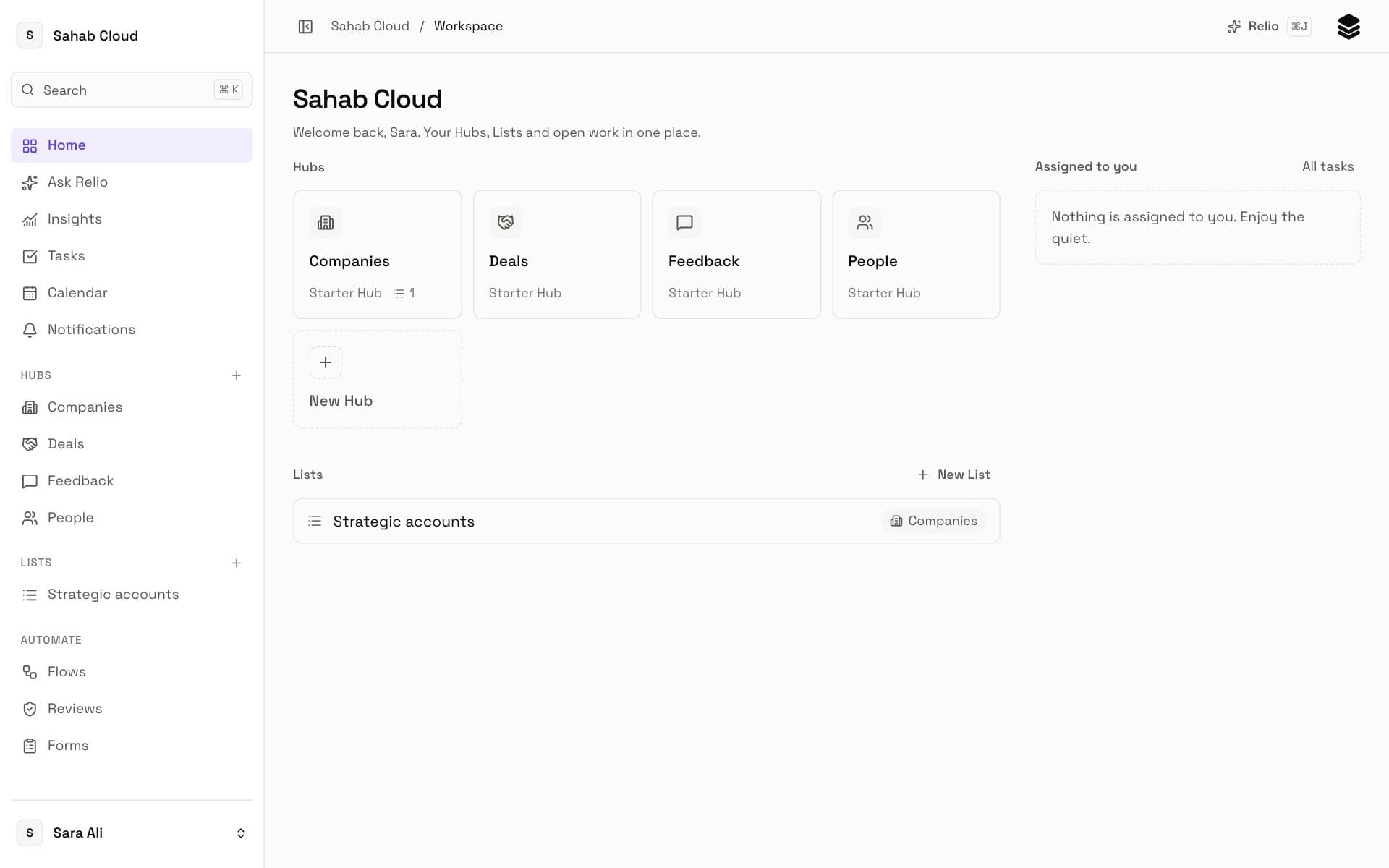
How Relio is put together
Everything lives in a Workspace — your company's space in Relio. Inside it:
- Hubs hold one kind of thing each. Every workspace starts with People, Companies, Deals and Feedback, and admins can add more — Properties, Projects, Suppliers, whatever your business tracks. Read about Hubs.
- Entries are the items in a Hub: one person, one company, one deal. Read about Entries.
- Signals are the details on an Entry — an email, a stage, an amount, a date. In a table, each Signal is a column. Read about Signals.
- Links connect Entries to each other: a person works at a company, a deal belongs to a customer. Read about Links.
- Lists follow a process over the Entries of one Hub, like a sales pipeline or customer onboarding, with their own stages. Read about Lists.
- Views save a way of looking at a Hub or List — its filters, sort, columns, and whether it is a table or a board. Read about Views.
Around that data sit the tools that put it to work: Tasks for follow-ups, Flows that automate routine steps, Forms that collect information from outside, Insights that report on it, and Relio AI, which answers questions and fills in judgements for you.
Your first hour
- Look around. Open each starter Hub from the sidebar to see the Signals it comes with. Navigating Relio explains every part of the screen.
- Bring in what you have. Import a CSV or Excel file of your customers into Companies or People rather than typing them again.
- Add a few Entries by hand. Create a company and a person who works there, and link them, so you see how one record shows up on the other.
- Start a pipeline. Create a List from the Sales Pipeline template over Deals and open it as a board. Build a pipeline walks through it.
- Invite your team. Relio is most useful when everyone works in it. Invite your team covers roles and invitations.
Where to go next
- New to Relio? Take the Getting started course — six short lessons, about twenty minutes.
- Looking for one thing? Use search at the top of the help centre, or press ⌘K inside Relio.
- Want the definitions in one place? See the glossary.
Checked against Relio on 29 October 2026