Links
Connecting Entries across Hubs: the starter Links, creating your own, what one-to-many means, and linking from an Entry.
A Link connects Entries in two Hubs. A Person works at a Company; a Deal belongs to a Customer; a Property has an Owner. Links are what turn separate tables into one picture of a customer.
Each Link has two names, one for each side. People has Company; Companies has Team. They are the same Link, read from opposite ends: set Sara's Company to Acme, and Sara appears in Acme's Team at once. There is nothing to keep in step.
The starter Links
| From | Name | To | Name on the other side | Each side holds |
|---|---|---|---|---|
| People | Company | Companies | Team | A person has one company; a company has many people. |
| Deals | Customer | Companies | Deals | A deal has one customer; a company has many deals. |
Linking two Entries
- Open the Entry — in the preview or its full page — and go to the Related tab.
- Find the Link, for example Company, and click Add Link. When the Link holds only one Entry and it is set, the button reads Change link.
- Search for the Entry to link and choose Link. If it does not exist yet, choose Create “{name}” to create it in the other Hub and link it in one step.
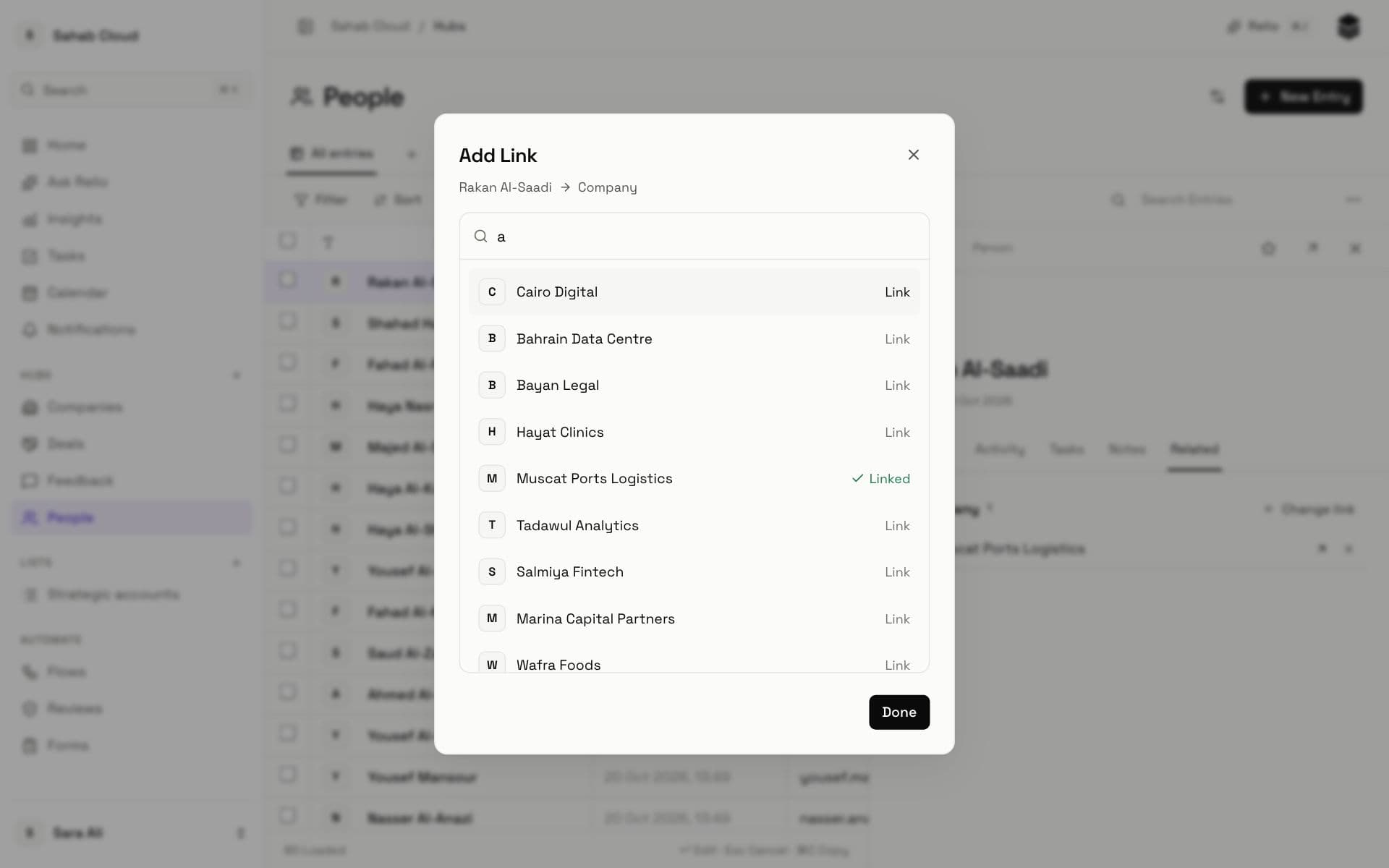
When a side holds only one Entry and it is already set — Sara already works at Acme and you link her to Beta — Relio tells you Sara already has a Company and offers Move it here, which moves the Link rather than adding a second.
To remove a Link, use Remove link to {name}. Both Entries stay; only the relationship between them is removed.
Creating a Link between Hubs
Only workspace admins can add Links.
- Open one of the two Hubs and click Settings.
- Click Add Link.
- Name — what this Hub calls the other, e.g. *Owner* on Properties.
- Related Hub — the other Hub, e.g. People.
- Reverse label — what the other Hub calls this one, e.g. *Properties* on People.
- Cardinality — how many Entries each side can hold (below).
- Click Save. The Link appears on Entries in both Hubs.
Cardinality
Cardinality says how many Entries can be on each side. Read it from the Hub you are in:
| Cardinality | Meaning | Example |
|---|---|---|
| one_to_one | Each Entry links to at most one on the other side, and the other way round. | A Company and its Billing account |
| one_to_many | One Entry here, many there. | A Company (Account manager side) to its People |
| many_to_one | Many Entries here, one there. | People to their Company |
| many_to_many | Any number on both sides. | People to the Events they attended |
Links in filters and columns
Links work everywhere Signals do:
- Filter on them: *has any*, *has none*, *is* a particular Entry, or *has one where* — "People whose Company has Industry = Real estate". See Filters and sorting.
- Show them as columns with the Signals button, so a People table shows each person's Company.
- Ask Relio follows them: "deals for companies in Jeddah".
Checked against Relio on 29 October 2026