Build a pipeline
Create a Sales Pipeline List over your Deals and move them across a board.
A pipeline is a process, so in Relio it is a List — not a Hub. Your Deals stay in Deals; the List adds a Stage and shows them as a board you drag across.
1. Create the List
- Click + next to Lists in the sidebar.
- Under Start from, choose Sales Pipeline. The dialog shows what it adds: Stage, Value, Expected close and Owner.
- Under Which records does it track?, choose Deals.
- Click Create List.
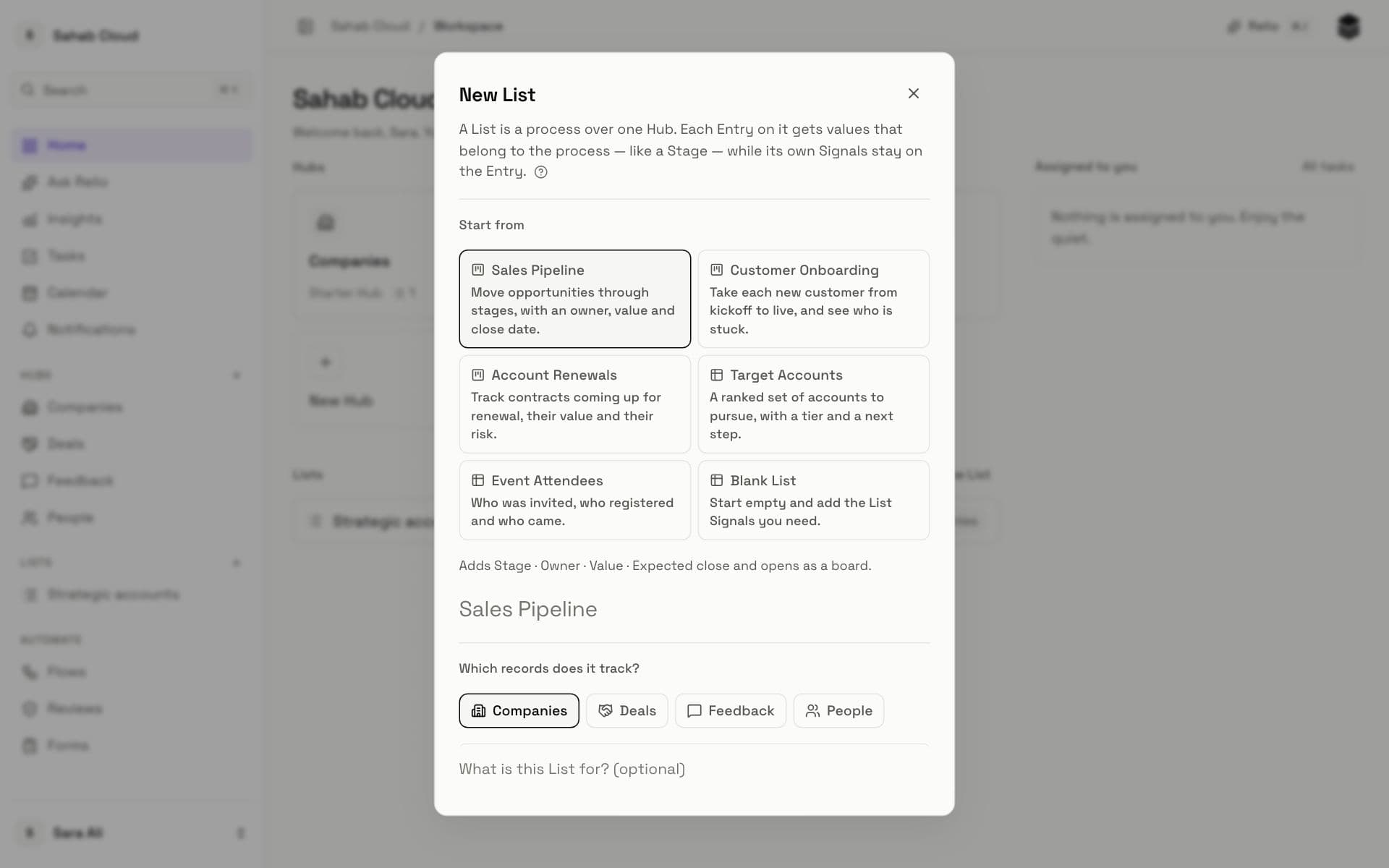
The List opens as a board, with a column for each Stage: Lead, Qualified, Proposal, Negotiation, Won, Lost.
2. Add your deals
- Click Add.
- Search for a deal and choose it. Add a few — the dialog counts them.
- For a deal that does not exist yet, choose Create a new Entry on this List.
New cards land in No value until you give them a Stage.
3. Move deals along
Drag a card to another column to change its Stage. Everyone on your team sees the change at once, and it is recorded on the deal's timeline.
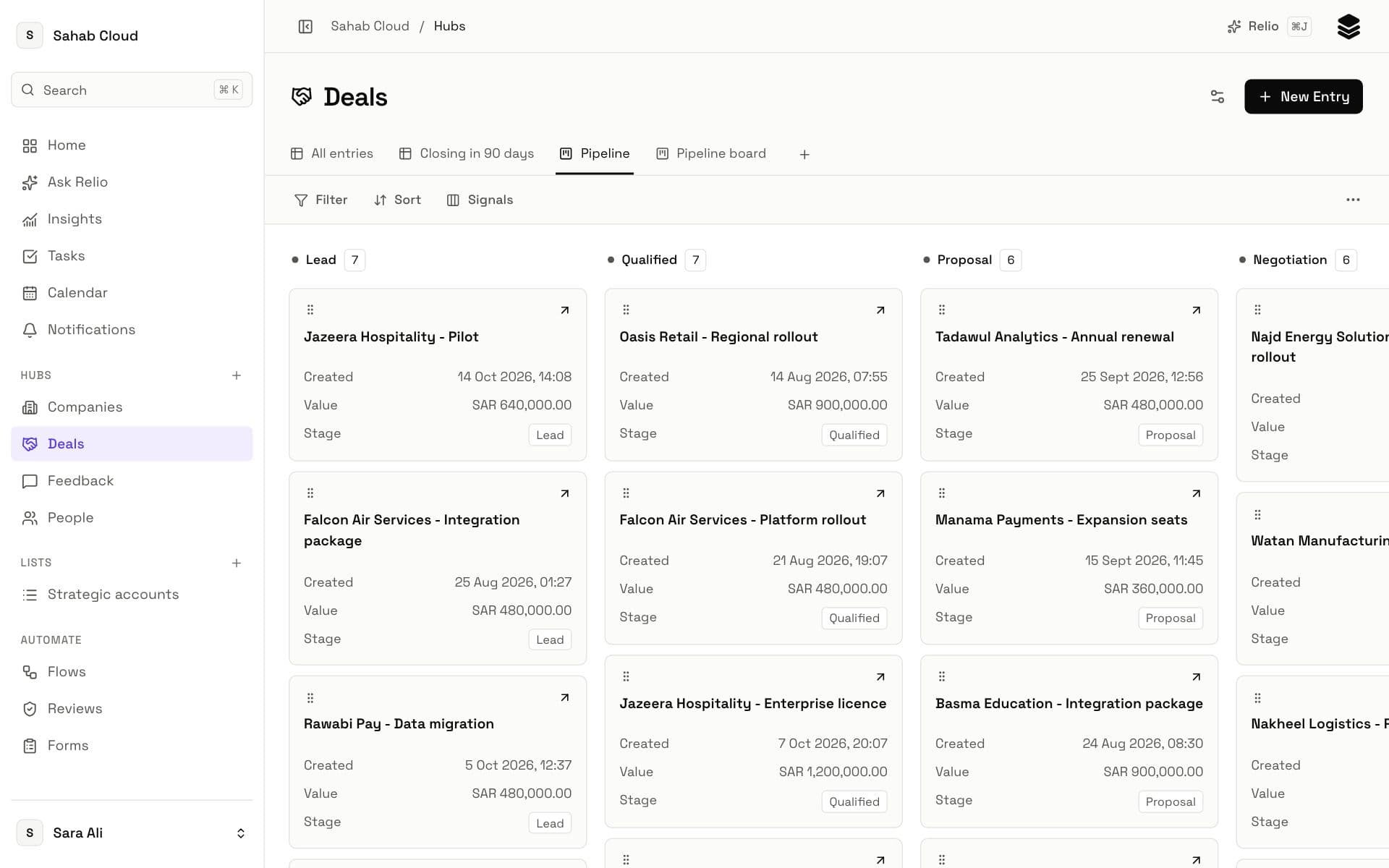
4. The same deal, more than one place
Open Deals from the sidebar: your deals are all still there, with their own Signals. The pipeline's Stage belongs to the List. That is why one deal can also be on, say, a *Partner deals* List with a different stage, without anything being copied.
Next
Your pipeline is running. Next: Save your Views, so the deals that need you are one click away.
Checked against Relio on 29 October 2026