Shape your Hubs
Add a Signal to Deals so Relio records what matters to your business.
Relio's starter Hubs come with sensible Signals, but every business tracks something of its own. In this lesson you will add a Lead source to Deals — where each deal came from — so you can later see which channels win.
1. Open the Signals dialog
- Open Deals.
- Click the Settings icon (the sliders) next to New Entry.
You will see every Signal on Deals: Name, Value, Stage, Probability, Expected close, Owner.
2. Create the Signal
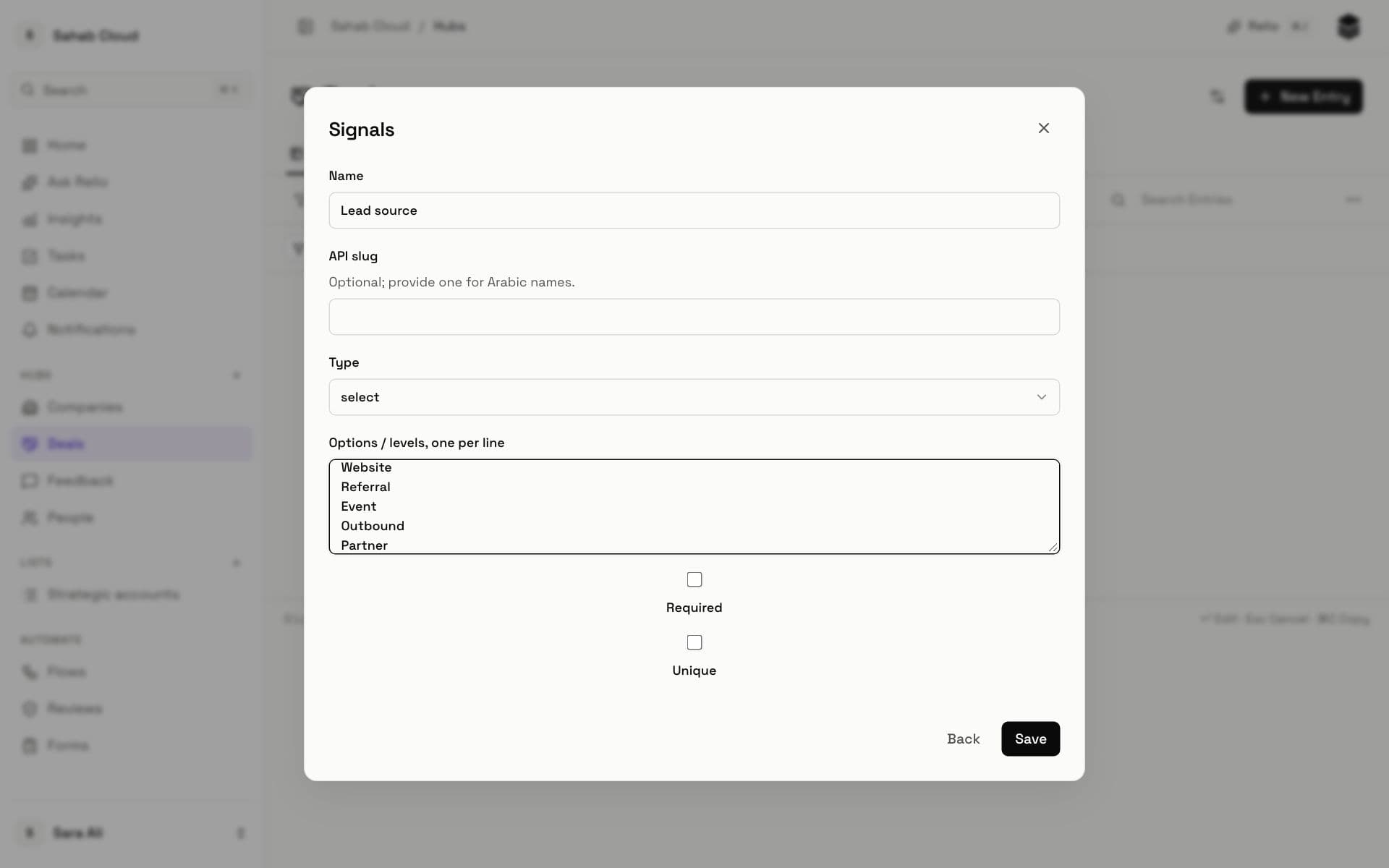
- Click Create Signal.
- Name: *Lead source*.
- Type: *select* — a fixed set of choices keeps values consistent and makes reports accurate.
- Options, one per line: *Website*, *Referral*, *Event*, *Outbound*, *Partner*.
- Leave Required and Unique off for now.
- Click Save.
Lead source is now a column on Deals. Click any deal's cell to choose a value.
3. Choosing types well
A few rules of thumb:
- A fixed set of values → select (or multi_select for several).
- Money → currency, so totals and filters work.
- A date something happens → date; a deadline you sort by → date too.
- A person in your team → user, so you can filter "Owner is me".
- Anything you would otherwise judge by reading the Entry → consider an AI Signal.
Signals lists every type with examples.
Next
Your Deals now record where they came from. Next: Build a pipeline.
Checked against Relio on 29 October 2026