Views
Saving filters, sort, columns and layout as a View; tables and boards; who sees a View and what saving changes.
A View is a saved way of looking at a Hub or a List: which Entries (filters), in what order (sort), which columns, and whether it is a table or a board. Views own no data — ten Views over Deals all show the same Deals, just differently.
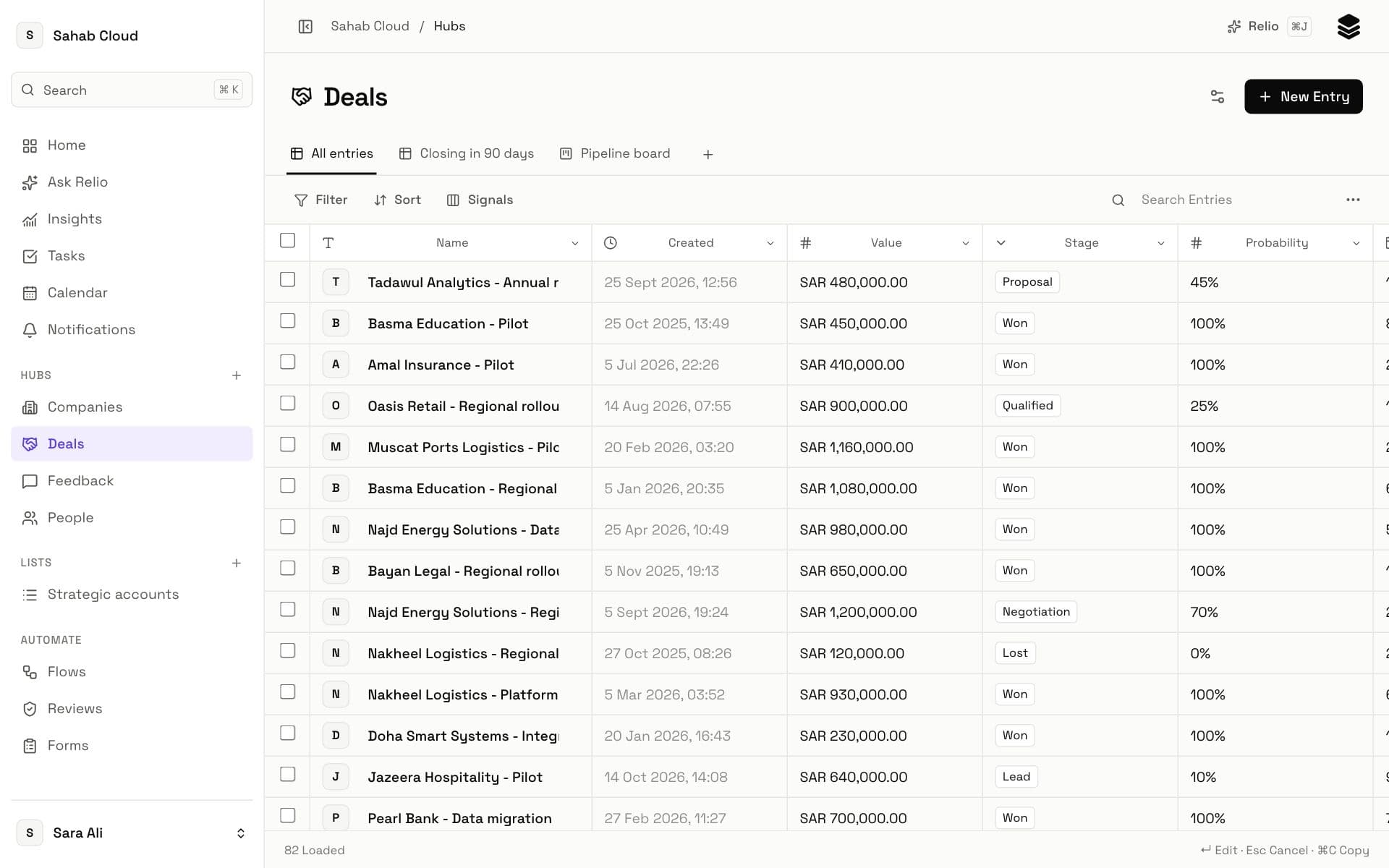
Views appear as tabs above the table. Every Hub and List starts with All entries.
Creating a View
- Open the Hub or List and click + beside the View tabs.
- Name it, e.g. *Closing this month*.
- Choose the Type: Table or Kanban. For Kanban, choose what to Group by — a select, yes/no or AI choice Signal from the Hub or the List.
- Click Create.
- Set the filters, sort and columns you want, then click Save changes.
You can also start from what you are looking at: set up the filters and sort first, then choose More → Save as new View.
Changing a View
Change filters, sort or columns on a View and Save changes appears in the toolbar. Until you click it, your changes are only on your screen. Clicking it saves them into the View.
More → Rename View renames the tab.
Who sees a View
Every View is visible to everyone in the workspace who can see its Hub — with one rule: if a View's filters, sort, grouping or columns use a Signal someone cannot read, that View is hidden from them, because otherwise its results would reveal the hidden value.
Tables and boards
| Table | Kanban | |
|---|---|---|
| Shows | Rows and columns | Cards in columns |
| Best for | Scanning, editing many values, copying | Moving Entries through stages |
| Change a value | Edit the cell | Drag the card |
| Search box | Yes | Use a filter instead |
On a board, a filter only applies once the View is saved — Relio reminds you with Save changes to apply this filter to the board.
Good Views to make
- My deals — Deals where Owner is you, sorted by Expected close.
- Closing this month — Deals with Expected close this month and Stage not Won or Lost.
- No contact — Companies with no linked People, to clean up.
- Pipeline — a Kanban of Deals grouped by Stage.
Views also appear in ⌘K, so a View you use daily is two keystrokes away.
Checked against Relio on 29 October 2026