Tasks
Assigning work with due dates and priorities, linking it to Entries, and working through it as a list, a board or a calendar.
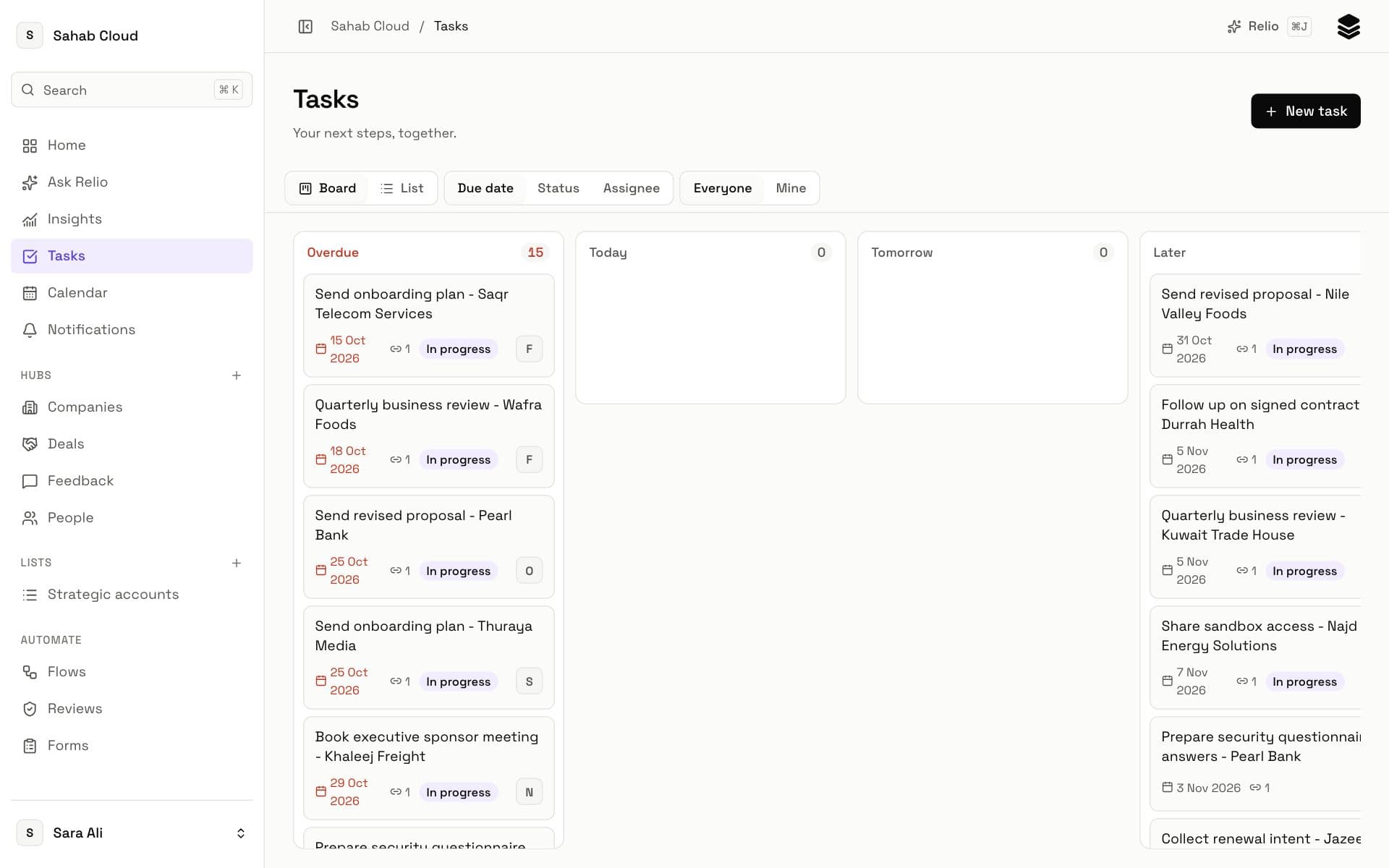
A Task is a piece of work for one person: *Send the proposal to Acme*, *Call Sara about renewal*. It has an assignee, a due date, a priority and a status, and usually belongs to one or more Entries, so the work and the customer stay together.
Creating a Task
From Tasks, click New task; from an Entry, use its Tasks tab. Fill in:
| Field | Notes |
|---|---|
| Title | What needs doing, as an action. |
| Description | Optional details — Add details (optional). |
| Assignee | Anyone in the workspace, or Unassigned. |
| Due date | A day and time. Overdue Tasks are marked in red. |
| Priority | Low, Normal, High or Urgent. |
| Linked Entries | The companies, people or deals it is about. |
Assigning a Task to someone notifies them.
Statuses
Every Task is To do, In progress or Completed. Use Mark in progress, Mark as completed, or Move back to To do — or drag it on the board.
List, board and calendar
- List — Tasks grouped, sorted by due date. Shows the first 200 open Tasks; filter to see the rest.
- Board — a column per status; drag Tasks between them.
- Calendar — Tasks by due date and meetings logged on Entries, by month or week, for everyone or just you. Meetings synced from a connected Google or Microsoft calendar appear too. Click a day to add a Task due then.
Relio remembers which layout you used last, on this device.
Home: Assigned to you
Home lists your unfinished Tasks, soonest first, with overdue ones marked — the first thing to check each morning.
Tasks made for you
- Flows can create Tasks when something changes — "when a deal reaches Proposal, create a follow-up for its owner in two days". See Flows.
- Ask Relio can propose Tasks — "create a follow-up for every deal closing this week" — and create them once you confirm. See Ask Relio.
Deleting a Task
More → Delete. The Task is deleted for everyone in the workspace.
Checked against Relio on 29 October 2026