
Almost every team starts managing customers in Excel. It is already installed, everyone knows it, and a list of names, numbers and a status column takes five minutes to build. For one person and a few dozen customers, that is the right tool.
The trouble starts when the list becomes shared, ongoing work: more people, more customers, more follow-ups. The spreadsheet does not break all at once. It breaks quietly, in the same six places for almost every team.
Six problems every growing team hits in Excel
Choose a problem to see how it looks in a spreadsheet, and how the same work looks in Relio.
| File | Last edited by |
|---|---|
| Customers.xlsx | Ahmed |
| Customers_final.xlsx | Sara |
| Customers_final_v3.xlsx | Ahmed |
| Customers (Sara’s copy).xlsx | Sara |
Four files, four versions of the truth. Which one has today’s numbers?
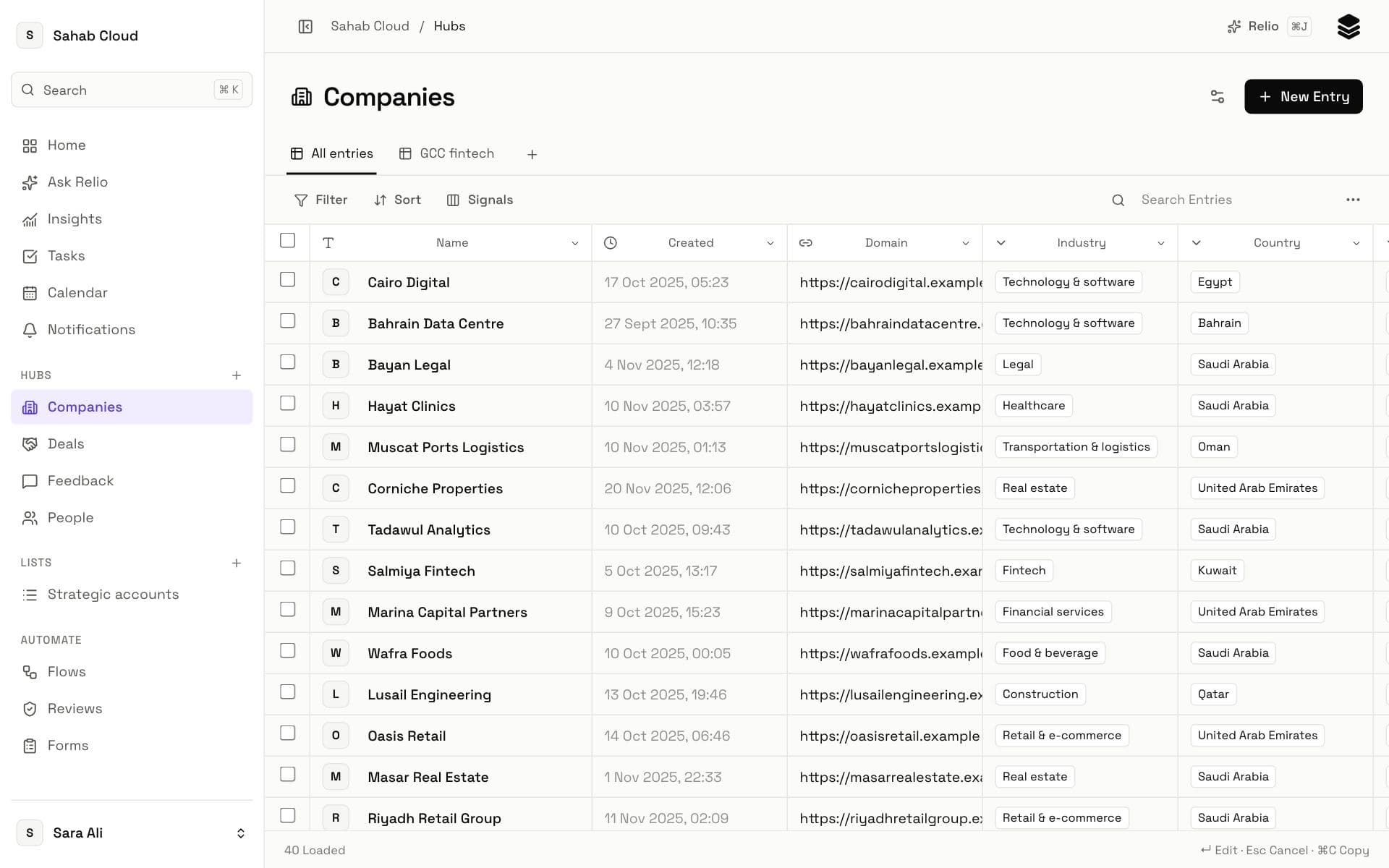
One workspace everyone shares
Your customers live once, in a Hub such as Companies. Everyone works on the same Entries, so a change one person makes is the change everyone sees. There is no “latest version” to look for.
| Company | City |
|---|---|
| Najd Trading | Riyadh |
| Al Noor Clinics | RUH |
| Gulf Partners | الرياض |
| Sahm Logistics | riyadh |
Filter on “Riyadh” and three of these four customers disappear.
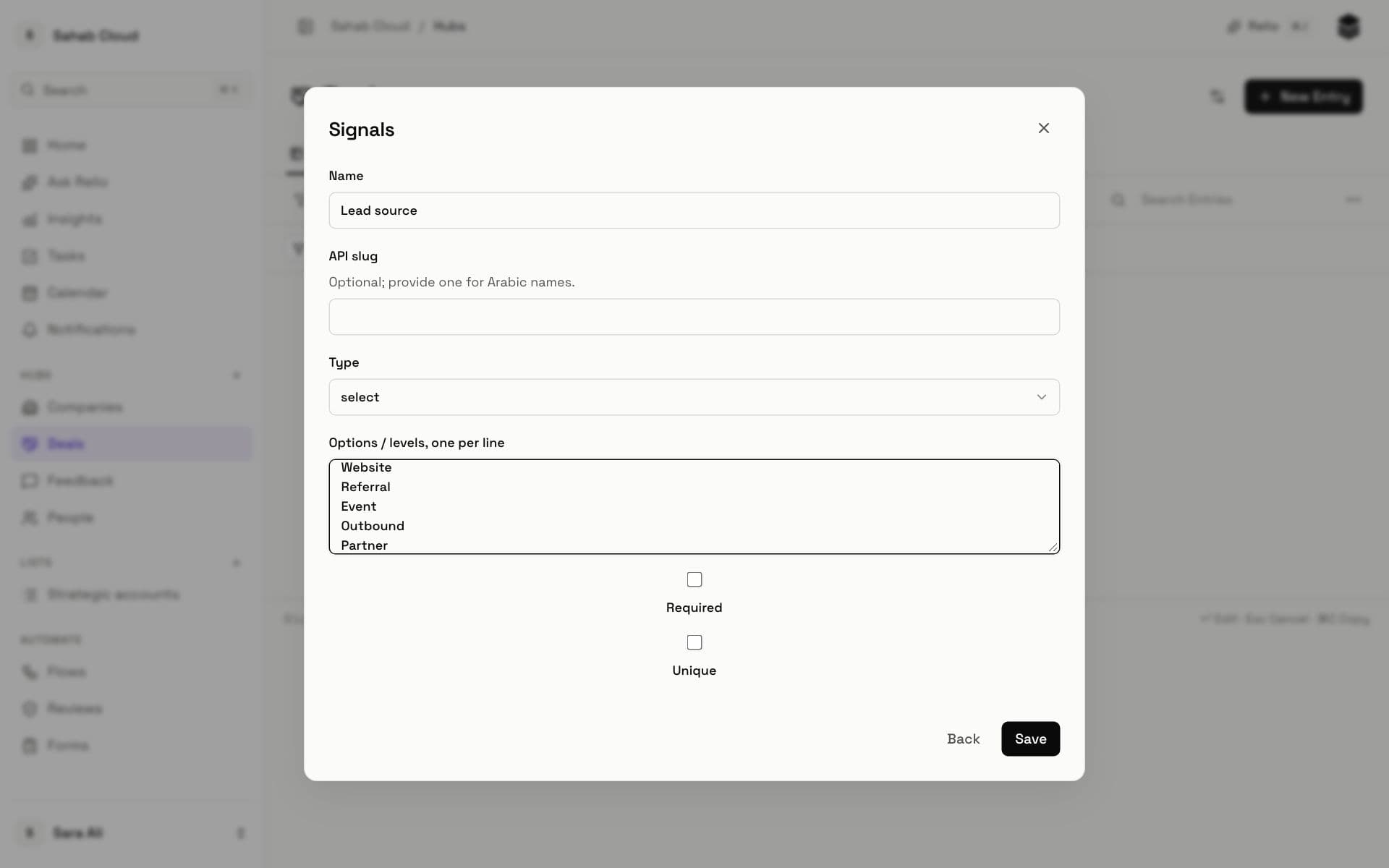
Typed Signals with set choices
Each detail is a Signal with a type. A city or a lead source is a choice from a fixed list, a date is a date and a price is a currency. Everyone picks the same value, so filters and charts count every customer.
| Contact | Company |
|---|---|
| Noura | Acme Holding |
| Khalid | ACME Holding Co. |
| Fahad | Acme |
Is this one company or three? When it is renamed, every row is wrong.
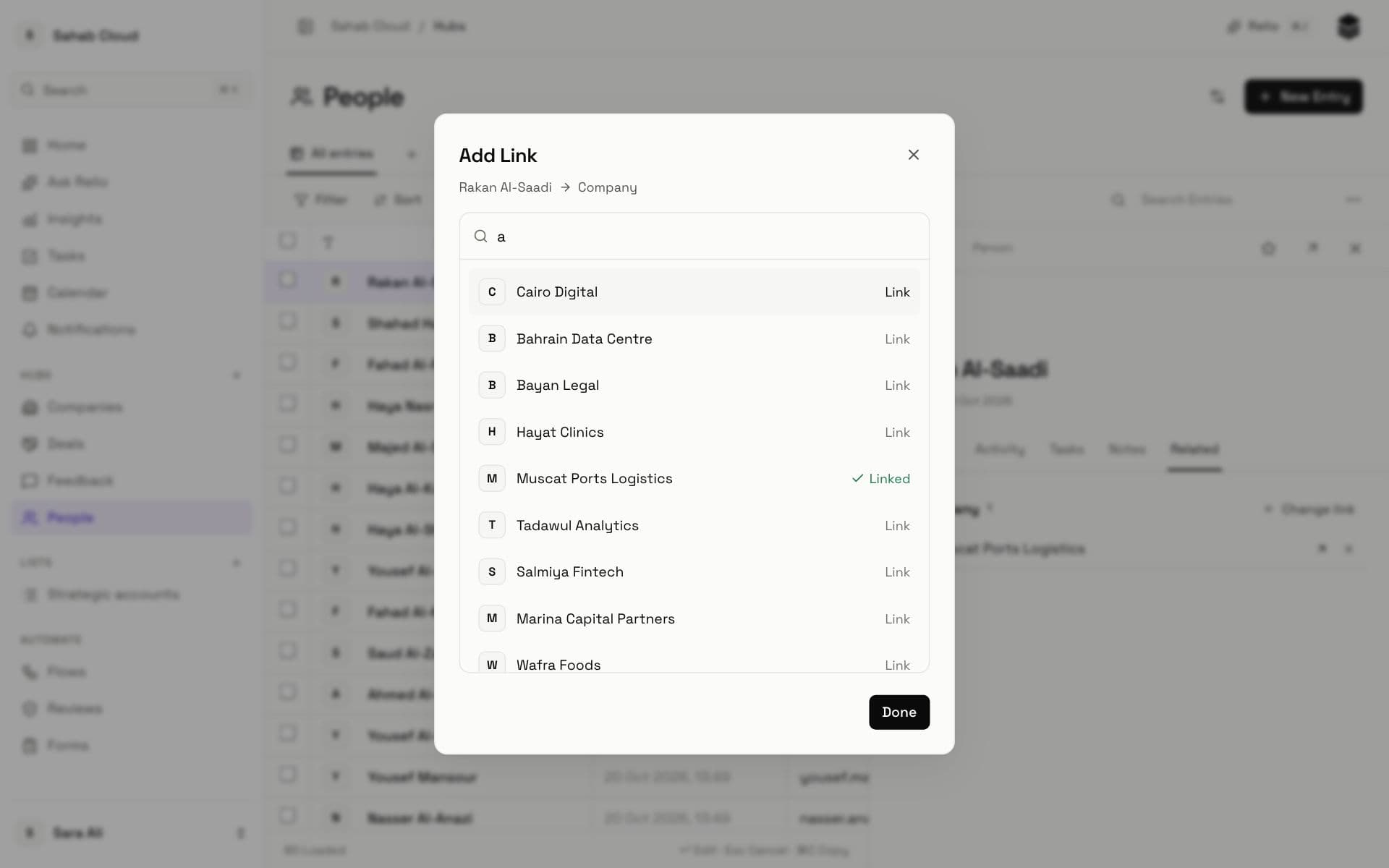
Links instead of copied names
A person is linked to their company once. Open the company and every person, Deal and note connected to it is there. Rename the company and every Link stays correct.
| Deal | Stage | Value |
|---|---|---|
| Gulf Partners renewal | Won | 120,000 |
| Najd Trading pilot | Lost | 45,000 |
Who changed this, and when? What was agreed on the last call? The cell only keeps the latest value.
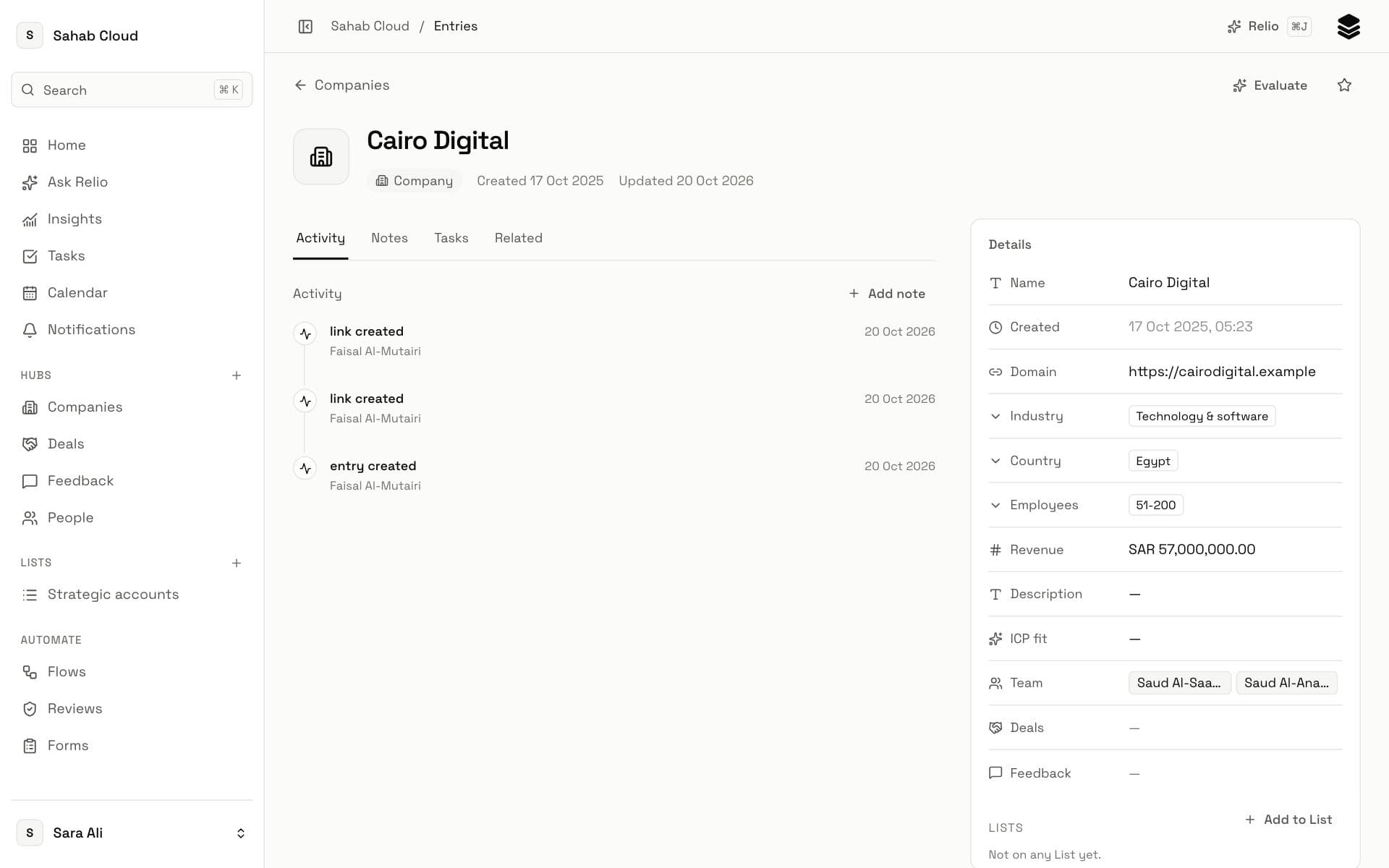
An Activity timeline on every Entry
Notes, calls, meetings and changes stay on the Entry’s timeline, with who did them and when. A new colleague can read the whole relationship in a minute.
| Company | Next step | When |
|---|---|---|
| Najd Trading | Send proposal | next week? |
| Al Noor Clinics | Call back | after the holiday |
| Sahm Logistics | Renewal |
A spreadsheet never reminds anyone. The row just waits.
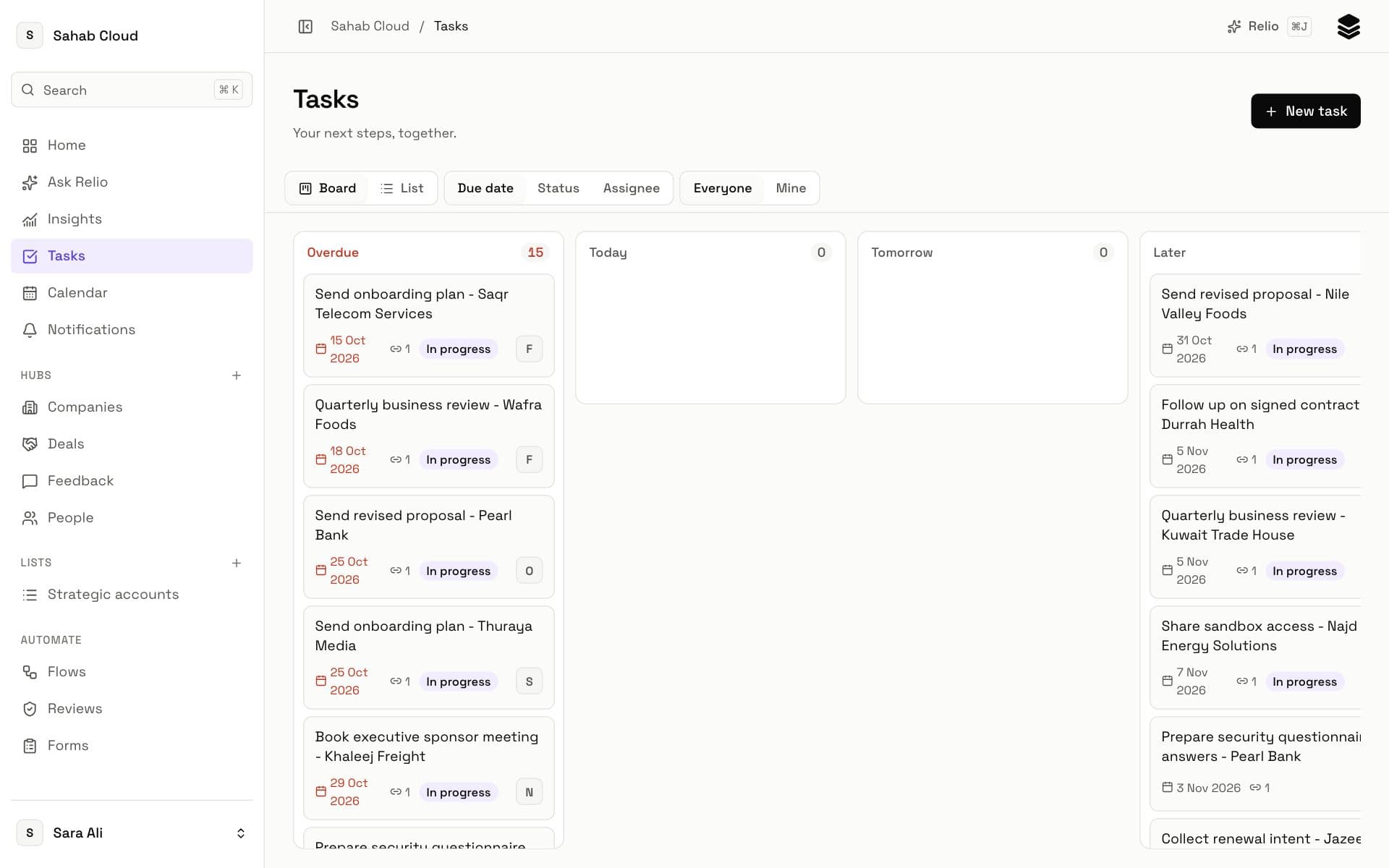
Tasks with an owner and a due date
Every next step is a Task assigned to someone, with a due date. Overdue work stands out, and each person sees what is theirs today.
| Deal | City | Stage |
|---|---|---|
| Gulf Partners renewal | Jeddah | Proposal |
| Najd Trading pilot | JED | Negotiation |
| Sahm Logistics | jeddah | Won |
“How many open deals do we have in Jeddah?” Filter, sort, pivot, then hope nobody typed JED.
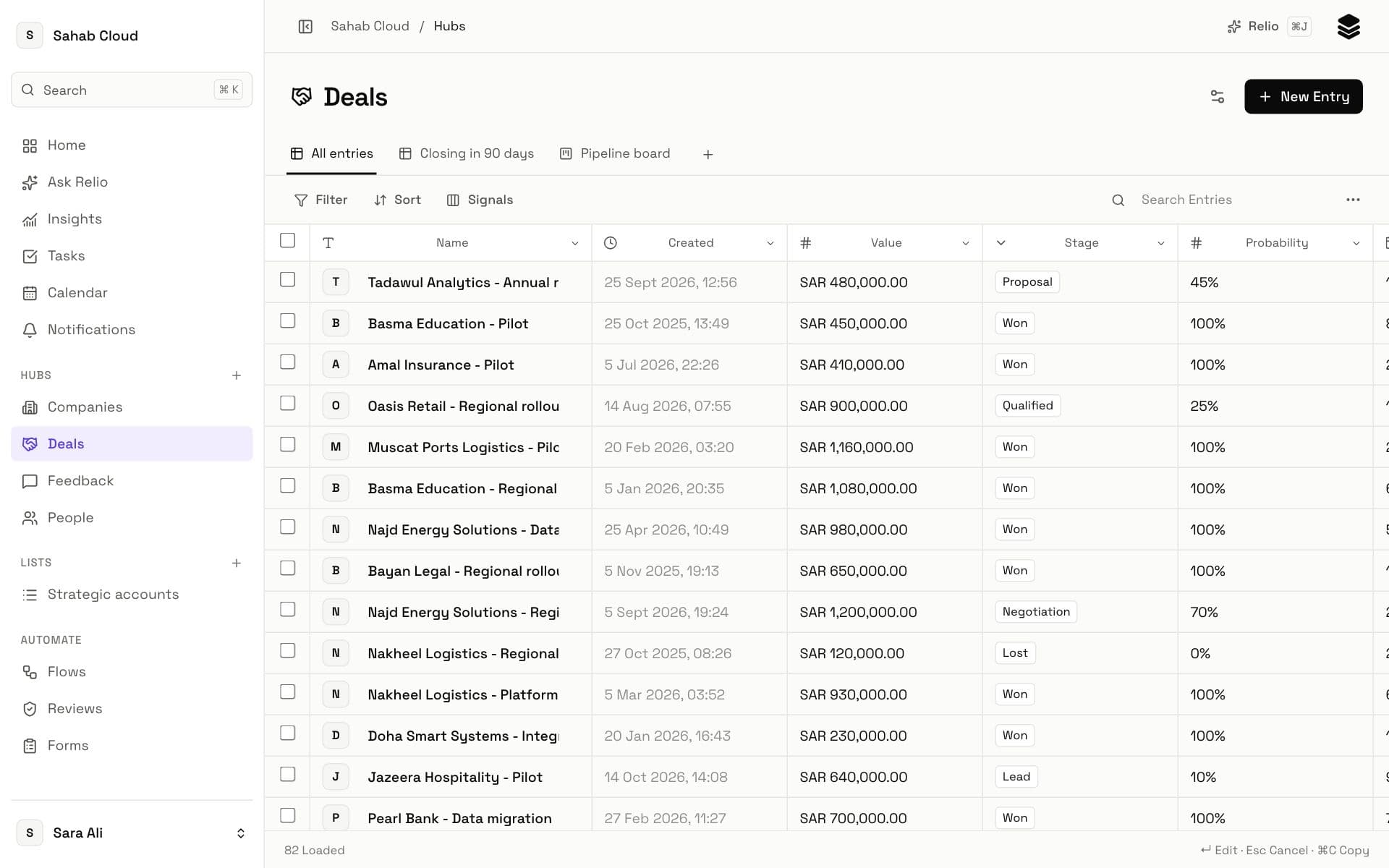
Saved Views anyone can open
Save a filter, sort and layout as a View, such as “Closing in 90 days” or a pipeline board. The answer is one click away, and it updates itself as the work changes.
Is it time to switch? Check your team
Excel is probably still serving you well. Come back when the list becomes shared work.
Moving without starting over
You do not need to retype anything. Import a CSV or Excel file and Relio matches your columns to Signals, checks every row and shows what will be added, updated or refused before writing anything. Choose email or domain as the match, and importing the same file again updates Entries instead of duplicating them.
Keep Excel for the one-off analysis it is good at. Keep your customers somewhere the whole team can trust.